Contents
- Solenoid table5
- Solenoid locations6
- Lamp matrix7
- Lamp locations8
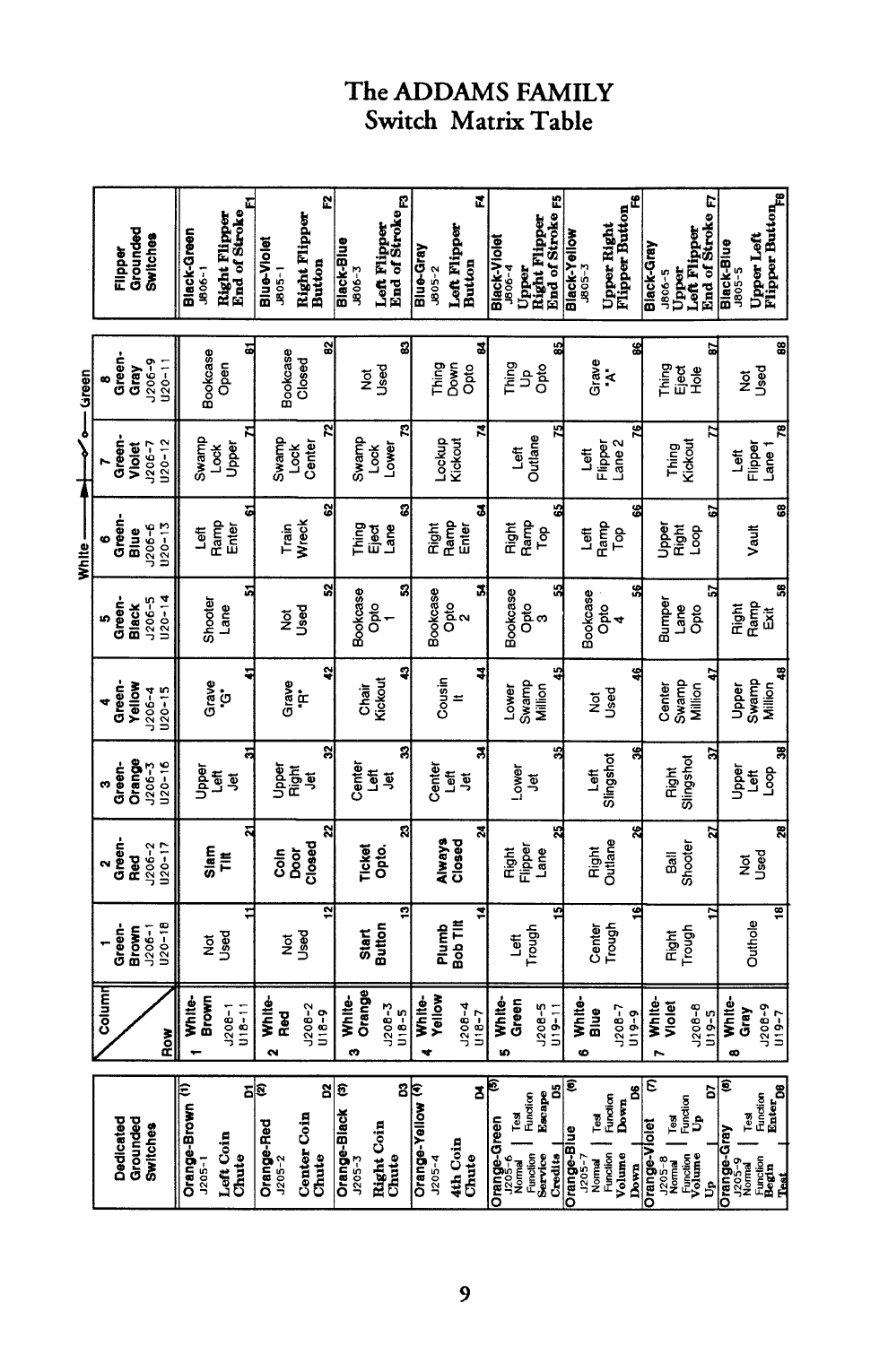
- Switch matrix (rotated)9
- Switch locations10
- WarningsPDF page 12
- All contents
Manual pages are saved on the device as you open them.
Manual pages are saved on the device as you open them.